Nokia 5800 Xpress Music


Nokia's vision to provide the best total music experience possible, the Nokia 5800 XpressMusic will be among the first devices to support Comes With Music.
It is a S60 5th Edition device with a resistive touch screen and tactile feedback. The device has variety of input methods: stylus, plectrum and finger touch support for text input and UI control (alphanumeric keypad, full and mini qwerty keyboard, handwriting recognition). Use the Nokia 5800 XpressMusic to connect to mobile broadband using WLAN or HSDPA (3.5G). Supported WCDMA frequencies depend on the region where the device is available. Find directions and locations with the integrated A-GPS and included maps.

People all over the world want a device that is a great music experience - with more memory, loud and powerful speakers, easy synchronization - and must still work well as a mobile phone with direct access to important contacts and content. The Nokia 5800 XpressMusic delivers on all these things and allows consumers to access and share content.

Key Feature:
ARM 11 369 MHz CPU
3,2 megapixel camre with autofocus and Carl Zeiss Optics
Symbian v9.4 OS with S60v5th
The 'Media Bar', a handy drop down menu that provides direct access to music and entertainment, including favourite tracks, videos and photos. The Media Bar also offers a direct link to the web and to online sharing.
Graphic equalizer
8GB memory for up to 6000 tracks
Supports Flash content, individuals can surf the entire web, not just pieces of it.
3.5mm jack audio.
NOKIA Music Store
Built-in surround sound stereo speakers
The innovative 'Contacts Bar' lets consumers highlight four favorite contacts on their home-screen
3.2" widescreen display
16 by 9 aspect ratio
30 frames-per-second playback and recording
3.2 megapixel camera with Carl Zeiss lens 
-Bluetooth

MMS or online sharing.
Supports 60 languages worldwide
Virtual alphanumeric keypad
Virtual computer-style QWERTY keyboard
Bluetooth 2.0 +EDR
Micro USB 2.0 High-Speed.
Lithium Ion 1320 mAH (BL-5J) battery
Accelerometer sensor for auto rotate
Etc....

INFO: The Nokia 5800 XpressMusic will be available worldwide beginning in the last of 2008 for an estimated retail price of 279 EUR before taxes and subsidies.NO OFFCIAL ANNOUNCEMENT YET OR ITS ALUNCH IN INDIA BUT ITWOULD PROBABLY MAKE IN TO INDIAN MARKET IN BEGINING OF 2009

Nokia N96


Accessing internet videos is quick and simple. The Nokia N96 supports common video formats including MPEG-4, Windows Media Video and Flash Video, making favorite videos easy to view. 

Transferring and accessing videos is even faster with the high-speed USB 2.0 connection and WLAN and HSDPA support. In select markets, the integrated DVB-H receiver offers live broadcast TV with an automatically updating program guide. 

The massive memory can store up to 40 hours of video content. The storage capacity of the Nokia N96 can even be further expanded with an optional microSD card, such as the new Nokia 8GB microSDHC Card MU-43 which increases the available memory of the Nokia N96 to a total of 24 GB. For added convenience, the Nokia N96 features a 'kickstand' on the back cover that allows for hands-free viewing.

The Nokia Video Center offers one place to discover and access a variety of mobile content ranging from movie trailers and comedy to news from world-leading content brands such as YouTube, Reuters, and Sony Pictures. The catalogue of internet video feeds is continually expanded with more regional and country specific content.

For a superb music experience, the Nokia N96 features media keys, a 3.5 mm headphone connector and built-in 3D stereo speakers. The Nokia Maps application offers richer maps with urban details and satellite views and has upgrade options such as City Guides, turn-by-turn pedestrian mode and voice-guided car navigation.

The Nokia N96 boasts a 5 megapixel camera with Carl Zeiss optics, flash and video light. It allows DVD-like quality video capture at 30 frames per second. Further, with the integrated A-GPS, consumers can now 'geotag' their pictures with location data and share them with their online communities. 

The Nokia N96 naturally supports the Ovi family of Nokia internet services, including maps, music, media sharing and more

Key Feature:
UMTS networks (WCDMA 2100/850; HSDPA)
Quad-band operation in GSM 850/900/1800/1900 networks (EDGE)
Automatic frequency band and mode switching
DVB-H, class C, 470-750 MH
16 GB of internal flash memory, memory expansion via hot-swappable microSD memory cards
128 Mbytes of RAM, 256 Mbytes of system memory (operating system plus dynamic memory for user data)
Battery: Nokia Battery BL-5F, 950 mAh
Talk time: GSM: up to 220 min; UMTS: Up to 150 min
TV Play: Up to 4 hours (DVB-H)
In UMTS networks (WCDMA 2100/850) are both voice and data connections possible (packet switched connections to max. 3.6 Mbit / s (download) or 384 kbps (upload), circuit connections to max. 64 Kbps -
Dual Transfer Mode (DTM) for the simultaneous use of voice and packet data connections in GSM / EDGE networks. Class A, multi-slot Class 11, max. Data transmission speed to Herunter-/Hochladen: 177.6 / 118.4 kbps
EGPRS Class B, multi-slot Class 32, max. Data transmission speed to Herunter-/Hochladen: 296/177, 6 kbps
GPRS Class B, multi-slot Class 32, max. Data transmission speed to Herunter-/Hochladen: 107/64, 2 kbit / s 
Digital music player - support for MP3, AAC, eAAC +, WMA and album cover
FM stereo radio (87,5-108 MHz) with support for RDS; possibility for the use of the VHF radios in offline mode
Up to 5 megapixels camera with auto focus n carlzeiss optics (2,592 x 1,944 pixels)
WLAN (IEEE802.11 g / b) with support for UPnP (Universal Plug and Play)
USB 2.0 micro-USB port (Type B)
3.5-mm jack for connecting a standard headphone and TV output for connecting a TV for playback of photos and videos (PAL / NTSC)
Etc ...

Links and traffic… who wants some?

The number of excellent resources that have come out since the beginning of the year on attracting links and building traffic has really mushroomed. Plus there are some timeless classics that are still very relevant today.

I think it makes sense to compile the very best in one handy location and share it, so here’s my entire collection. If I missed your link and traffic resource let me know and I’ll take a look.

Now, it doesn’t matter if you like the term “link baiting” or not. It’s the process that one goes through to attract links that matters, not whether you prefer to think of your content as bait for links. I like to think that creating content that increases web traffic and builds links simply falls under the general social media optimization marketing buzz phrase that is gaining in popularity.

So, here’s your ultimate “how to” guide to creating content that attracts links and drives traffic in the social media environment:

101 Ways to Build Link Popularity in 2006 | SEO Book

101 Web Marketing Ideas and Tips | SEOpedia

25 Tips for Marketing Your Blog | Online Marketing Blog

10 Remarkably Effective Strategies for Driving Traffic | SEOMoz

8 Reasons Why Lists Are Good for Getting Traffic to Your Blog | Problogger

7 Ways to Get to the Top of the del.ico.us Popular Page | Problogger

3 Ways to Immediately Increase Search Engine Traffic | Performancing

How to Get Traffic For Your Blog | Seth Godin

The Art of Linkbaiting | Performancing

The Art of Blog | SEO Black Hat

What is Linkbaiting? | Modern Life is Rubbish

SEO Advice: Linkbait and Linkbaiting | Matt Cutts of Google

Problogger Link Baiting Series | Problogger

Secrets to Beating the Sandbox 2.0 Revealed | Link Building Blog

What Makes a Site Link-Worthy? | Eric Ward

Using Digg to Attract Hits | Slate

Using Digg and Netscape to Get Traffic | Pronet Advertising

Social Bookmarking for Traffic | SiteProNews

The Sandbox and Delicious | Graywolf’s SEO Blog

Unleashing the IdeaVirus | Seth Godin

Viral Copy | Copyblogger

Building Traffic to Build Your Fan Club | Copyblogger

Trust Rank and Your Domain | Link Building Blog

Generating Buzz With Link Baiting and Viral Campaigns | Search Engine Watch

Linkbaiting for Fun & Profit | Search Engine Journal

Link Building Guide | Jim Westergren

Link Baiting & Effective Link Building | Search Engine Journal

Link Baiting and Viral Search Success | Search Engine Roundtable

How Much is Link Bait Worth? | Cartoon Barry

Link Baiting (How Nick Wilson Created SEO Even Seth Godin Could Love) | Stuntdubl

Link Baiting Case Study from Search Engine Journal | Search Engine Journal

Link Bait | SEO Book

The 8 Free Things Every Site Should Do | Seth Godin at Squidoo

Building Traffic With Article Marketing | Copyblogger

Link Building Blog | Text Link Ads

Link Building Wiki | Text Link Brokers

Advanced Link Building Tactics | SEOMoz

Let me know in the comments if I missed something that isn’t covered by one of these resources. Happy reading!

Cricket 2008

Magazine Style Blogger Templates

Here , the list of Blogger Magazine Templates which are converted from Wordpress Magazines.


1- Maggo Magazine Template


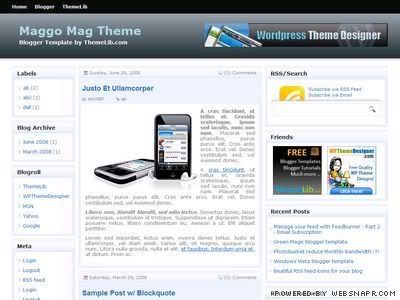
Maggo magazine blogger template


Maggo Magazine Template was converted by Themelib ,it has nice light color scheme and three columns , and the 468×60 ad space next to header. You can preview Maggo Magazine Template and if you like it you can download it.Thanks Hung for this template.


2-Blue Steel Blogger Template


Blue Steel Template is a conversion of Queen of Blogger who is the author of Blogger Buster. Blue Steel has 5 columns including post column , 2 columns on the left and two under post column, i think its the best Blogger Magazine conversion. You can preview Blue Steel template and if you like it you can download it from here.Thanks Amanda for this template.


3- Blogy Pro Blogger Template


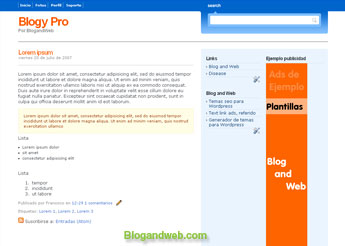
plantilla-blogy-pro.jpg


Blogy Pro was converted by a mexican blogger whos the author ofBlogandWeb , light blue colors are dominant in this template and there are 2 columns on the and 2 on the footer also theres an ad space next header which lets you boost your CTRs. You can preview this template and if you like it you can download it.Thanks Francisco for template.


4-Vibrant Blogger Template


Vibrant Blogger Template is a Wordpress conversion of mine , originally designed by CustomThemeDesign , it has a pretty color scheme and has 2 columns on the left one of which is wide and designed for ads , also it has java tabs from where your visitors can view recent comments , recent templates and your blogroll , you can preview Vibrant Template and if you like it you can download it from here.


5- WP Polaroid Blogger Template


WP Polaroid Template is a conversion of David whos the owner of eBlogTemplates and its the most downloaded template in David’s template site. It has 2 columns and a wide photo space in header ,sidebar and the footer , i think this template will suit photo blogs much more than other blogs. You can preview the demo of this template and if you decide to use it you can download it. Thanks David for this template.


6-Blogger Ads Theme


Blogger Ads theme is another Blogger Template converted by eBlogTemplates , it has great ad spaces as it can be understood from its name , it has 2 columns on the left and additionally wide ad column for 336×280 ads. You can preview this template and if you like it you candownload it.


7-Gabfire Mag Blogger Template


Gabfire Mag is another template which is converted by me , it has 4 columns , 1 on the right and 2 on the left  including a wide ad space for 300×250 , and a post column in the center. You can preview Gabfire Mag template and if you love it you can download it.


8-Firebug Blogger Template


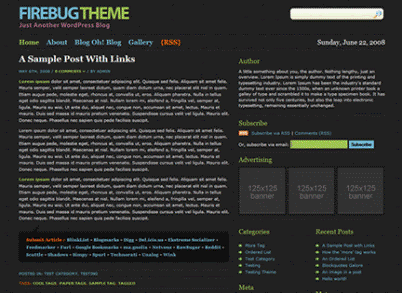
Firebug dark blogger template


Another template by Hung whos the author of Themelib , its a design of BlogOhBlog.com , it has 2 columns on the left and ready-to-use 3 125×125 ad slots ,additionally it has a stylish search bar and a social bookmark widget at the bottom of posts.you can preview it  and if you want to use it you can download it.Thanks Hung.


9-Langit Blogger Template


Langit Blogger Template is a conversion of mine , i was using this template while i was in Blogger. Langit has 2 columns on the left and wide ad space for 336 x 280 ad sizes , there a recent posts column above the post column and a RSS subscription column next to it. You are allowed to put 468×60 ads next to header. You can preview Langit template and if you think its cool you can download it.

10-Grid Focus Blogger Template


Grid Focus is a fresh template from BloggerBuster , it has 2 columns on the left and stylish navigation menus both on the header section and footer section , you can preview this template and if you love it its free todownload it thanks to Amanda.


11- Forte Blogger Template

Forte Blogger TemplateForte is another free Blogger template by BlogandWeb , it has 2 columns and a tab menu on the left and 6 columns on the footer , Forte is best for those who have lots of things to show on main page. You can previewthis template and download if you like it.


12-Indomagz Blogger Template


Indomagz is one of the oldest Blogger template converted by me , it has light colors. Template header and colors can easily be optimized , i saw a few optimized versions of this template and liked them very much , i would like to share that designs with you but i cannot remember the blogs. Anyway , it has 2 columns on th left and a wide ad block upon the left columns.You can check the demo of Indomag template and you candownload it.


13-Ayumi Blogger Template


Ayumi Blogger template looks like Ads Theme and Indomagz Blogger templates.It was converted to Blogger by me, it has 2 columns on the left and a wide ad space upon left columns , you can preview demo of Ayumitemplate and download if you love it.

Tips for professional blogging

Adopting blogging as a profession or say professional blogging is still a very fresh concept in most part of the world. After years of my blogging experience, I have gradually realized the value of blogging which can give you both knowledge and enough money to make a living out of it. Literally there is no core difference in blogging or problogging so one needs to get out of the hangover for the word “Professional” associated with problogging.


Now consider a case when you want to go to the office or some other public place. What will you do? Obviously you will get ready, wear clean clothes, shoes etc. But why? The only reason is just to look professional and presentable. Same way, if blogging is done in a presentable way can bring a lot of difference to you. So in this article let me share with you some productivity tips which will help you do quality and professional blogging.


1. Develop Strong Niche


Avoid being “Jack of All Trades, Masters of None”. As only Master excels, not the Jack. So develop a strong knowledge in the area of your own interest. People tend to get influenced by things around them easily and start chasing them. So they end up following neither their own interest nor others. So give your interest enough time so that you have gain enough knowledge to pour in to your blog posts for the readers of your blog.


2. Use dedicated time


Once you develop a strong foundation in the subject of your choice, now comes time to ring the bell of blogging. Take up a dedicated time of the day (away from any distraction) and just write in. Here is the tip, consider yourself a reader than a writer. Think what would you like to read on that particular topic (that you are currently writing on). With this dual psychological trick, you use both, left as well as right brain to bring maximum productivity in your work.


3. Be Clear


Avoid crossroads or misleading information. Write less but be clear on what you want to say. There is literally no point in writing big but useless or unclear posts. Another disadvantage of being unclear is that you lose a reader who could have recommended your blog further.


So the third tip is, be crystal clear in your thought and post to create interest in user.


4. Automate Your Work with Technology


Using right softwares, you can increase your productivity by many times. A simple example of using Windows Live Writer (WLW), a desktop blogging tool available for free. It has built-in dictionary which will avoid your wastage of time in reviewing your posts for spelling errors. Also, it has blog post option where in you can synchronize WLW with your blogging by scheduling a your posts. Set time and date your post will automatically show up in the blog. Similarly using good softwares (like WLW or ScribbleFire) can help you get maximum results in minimum time.


5. Blogging Software (Platform)


Use your own domain with Wordpress or Blogger platform as these are two best softwares for professional blogging. Wordpress is even more preferable for fast SEO (Search Engine Optimization). As making money is a part of your pro-blogging carrier, Google AdSense is the best program for both, novice and experienced writers.


Later when you become famous, you can also go for direct advertising and make good living out of pro-blogging. Both Wordpress(self-hosted) and Blogger make it very easy to add Google AdSense or any other type of advertising on your blog.


6. Record Your Ideas


Recording your idea is the most effective solution to mind-map your ideas. If you do not have habit to write for longer periods, this one is the best for you. Just record your audio ideas so that later in the day or week you can listen them to write a good post. This forward and backward chaining of thoughts will increase you productivity on a very high scale as none of your ideas are lost away.


Another advantage of this technique is that you will also gain experience in audio recording. So once you get comfortable in recording your own voice, you can save lots of time by avoiding writing blog post altogether and consider making an audio post each day. Yep, I am talking about audio podcasting, which can help you gain good exposure. Same way this technique will enhance your skills to start video posting on self made videos. This way, you can save a lot of time in writing and hence increase your productivity and worth.


7. Mind Mapping Techniques


The new and good way of mind mapping is already been discussed in point 6 of audio recording your voice. Another good mind mapping technique is writing or jotting your ideas down. This old school technique is very effective and your friend in traveling times. Whenever you are on a trip always keep a notepad with you. Just jot down any ideas you get on your niche. Another great way is use commercial softwares like Novamind. It is one the best softwares for mind mapping.


If you follow this, you will see a lot of difference in your productivity when you will sit in front of your PC/Laptop next time. You only have to write about ideas you jotted, without any pressure of making in depth analysis. Also such habits can be a good time-pass in long boring journeys.


8. Use Google Alerts


Google Alerts is a very useful way to keep in touch of what’s going around the world. You don’t have to waste your time going to search engines and find something. Just add a Google alert for your favorite topic and Google will automatically email you about the latest information on that topic.